White-label car rental software
run your rental business under your own name
A booking website and a staff console for reservations, fleet, payments, agreements and reporting. Installed for your business alone, on your domain, with your brand.
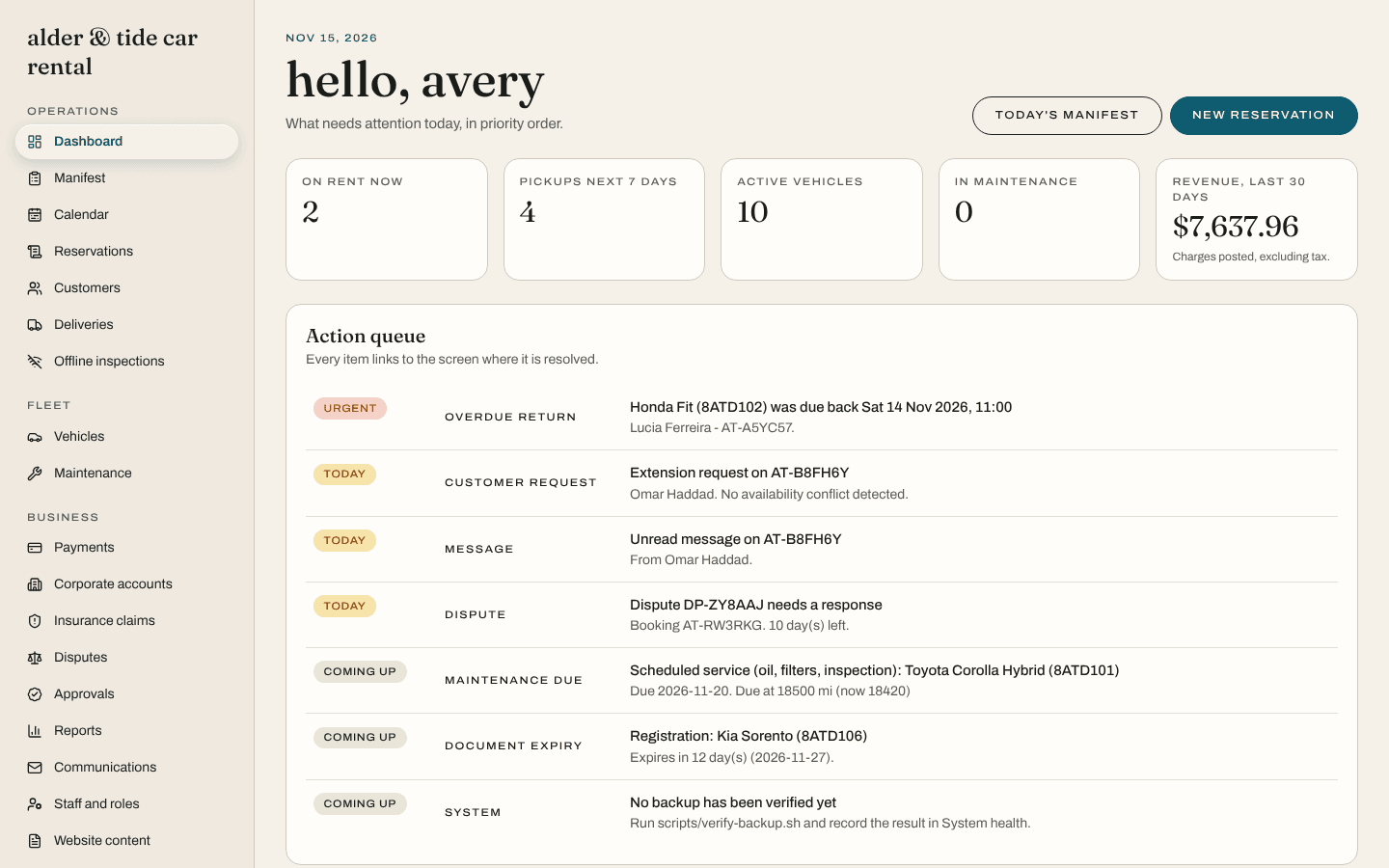
Why white-label
software that stays out of the picture
your brand
Your name, logo, colours and domain on the booking site, the emails and every document. Your customers never see ours.
your customers
Bookings come to you directly. There is no marketplace listing your competitors next to you and no commission on your rentals.
your money
Customers pay into your own payment account. The software never holds funds and never stores card details.
your data
One installation and one database per business. Export everything to CSV whenever you like.
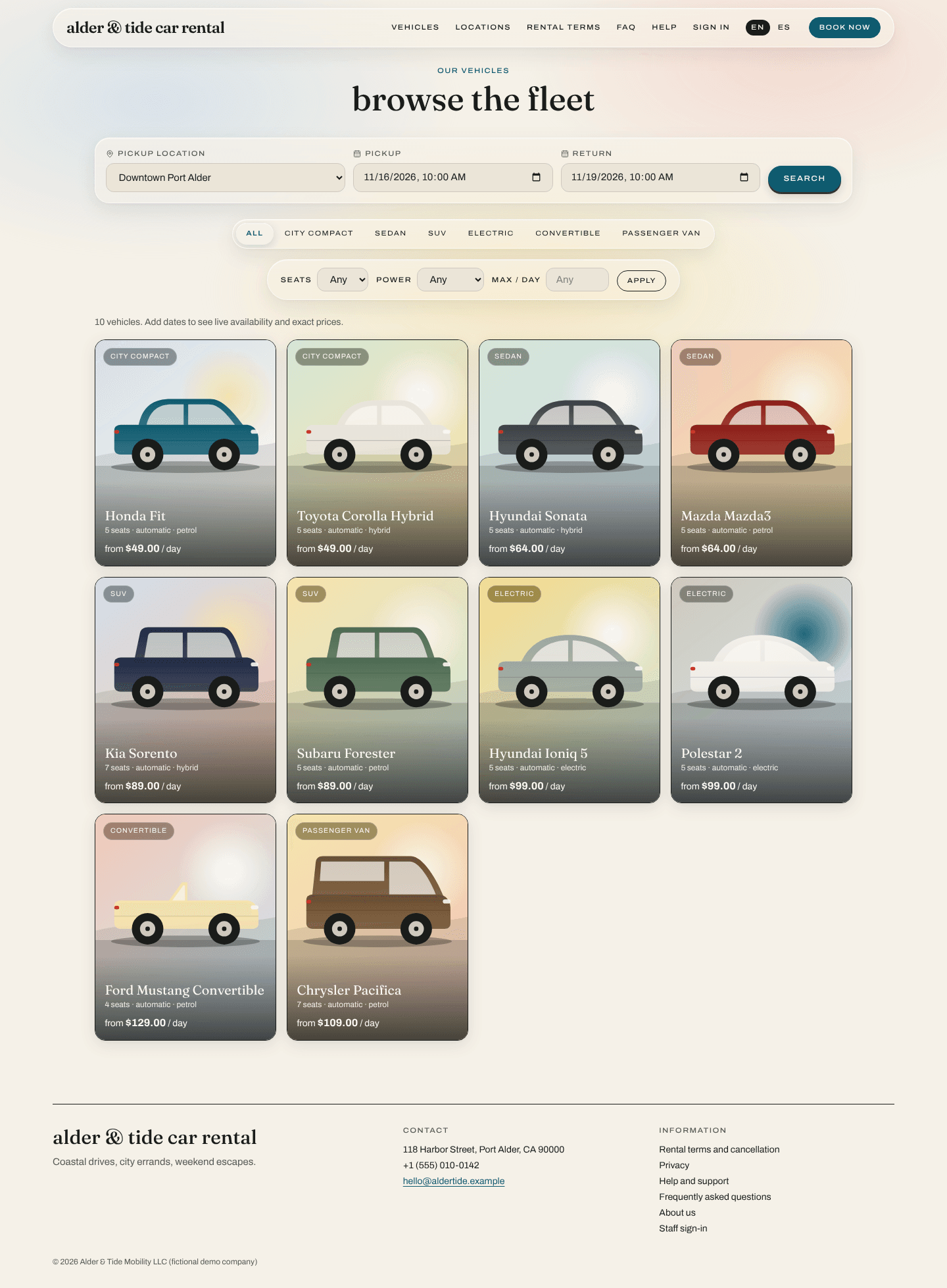
For your customers
a booking site that sells while you work
- Only vehicles that are actually free are shown
- The complete price, itemised, before checkout
- Extras, delivery, protection and promo codes
- Agreement, invoices and messages on one booking page
- English and Spanish out of the box
Everything in one place
from the first search to the final invoice
booking website
Your own branded site where customers search, see the full price and book in minutes.
Read morereservations and availability
One calendar the whole team trusts, with double bookings blocked by the database itself.
Read morefleet and maintenance
Every vehicle's status, documents, readings and upkeep in one record.
Read morepricing and rates
Daily, weekly and monthly rates, seasons, extras, fees and taxes, priced the same way everywhere.
Read morepayments and ledger
Money goes to your own payment account. Every cent is in an append-only ledger.
Read moreagreements and inspections
Agreement accepted online, condition recorded with photos, even with no signal.
Read moredelivery and collection
Zones, pricing, driver assignments and proof of handover for cars you bring to the customer.
Read morecorporate accounts
Company customers with authorised drivers, negotiated rates, credit limits and monthly statements.
Read morelong-term rentals
Instalments, reminders, renewals and periodic checks for rentals that run for months.
Read moreA rental, start to finish
how a day runs on karvio
Step 1
a customer books
They search your site, see the full price, pay and accept the agreement online. The car is theirs and nobody else's for those dates.
Step 2
your team prepares
The manifest and action queue show what is due today: vehicles to ready, balances to collect, cars to deliver.
Step 3
keys change hands
Inspection with photos at pickup and return, on a phone, with or without signal. Charges are proposed from the readings and reviewed by a person.
Step 4
the books close
Invoice, ledger and reports update themselves. You see what the rental earned and what the vehicle costs to own.
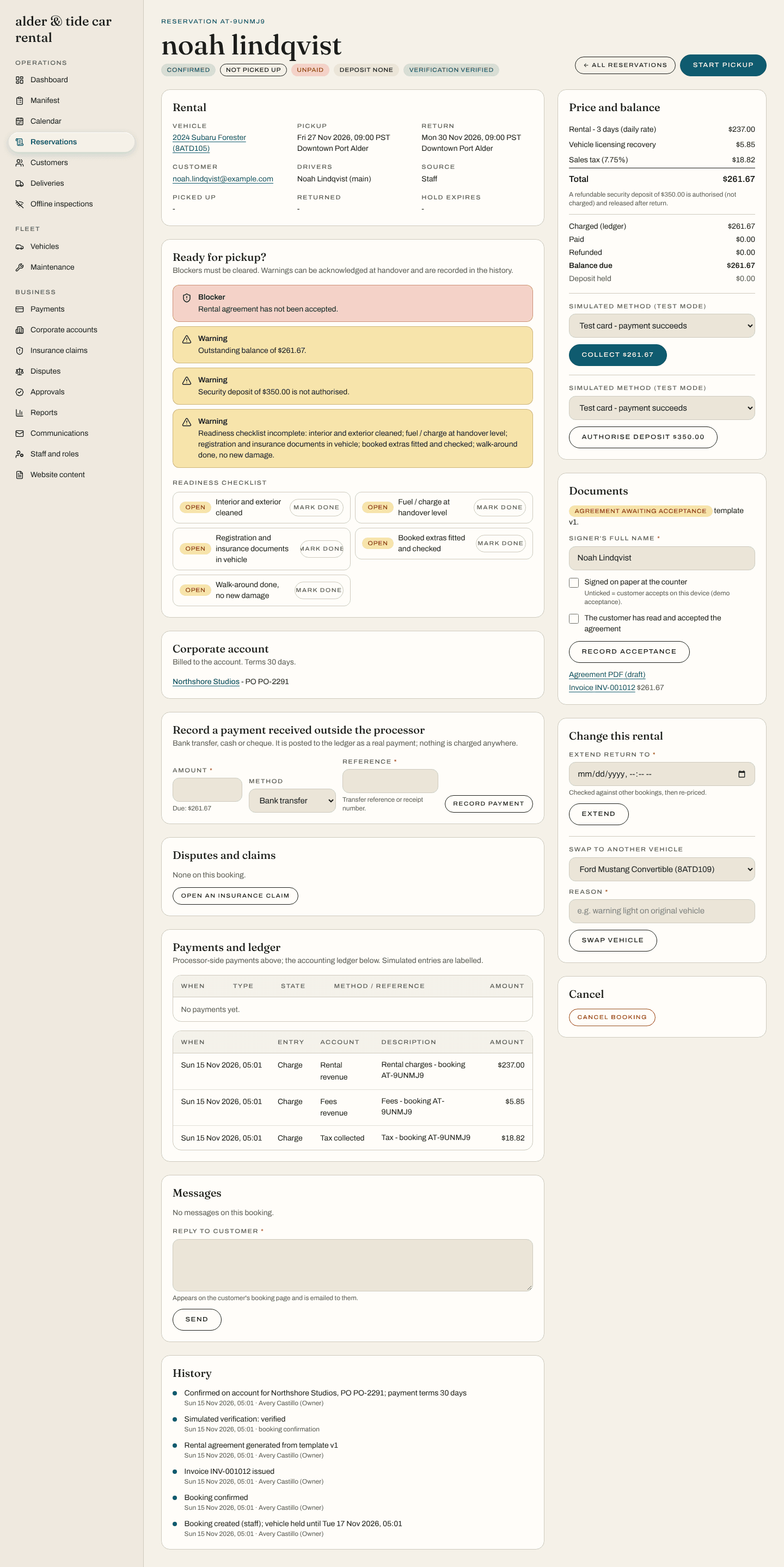
For your team
one record per rental, and it is always right
- Double bookings are refused by the database, not by vigilance
- Every charge and payment in a ledger that cannot be edited
- Roles and branch restrictions enforced on the server
- Large refunds need a second person
- An audit trail of who changed what
Built for operators
whatever kind of rental you run
independent rental companies
One location, a real fleet and no time for spreadsheets.
multi-branch operators
Several locations, one fleet picture, staff who see only their own branch.
airport and delivery-first operators
You bring the car to the customer. The logistics need to be as organised as the booking.
long-term and monthly rentals
Rentals measured in months, paid in instalments and renewed, not re-booked.
corporate and b2b rental
Company accounts with agreed rates, purchase orders, credit and one statement a month.
premium and specialty fleets
Convertibles, vans, performance cars: vehicles that need their own rules.
Plainly put
what it is, and what it is not
Karvio is software for one rental business at a time. It is not a marketplace, not a shared platform, and it does not sit between you and your customers.
- No marketplace and no commission on your bookings
- No shared database: each business has its own installation
- No card details stored by the software
- No remote switch-off or licence check phoning home
- No automatic decisions about your customers: people approve refunds, claims and eligibility
see if it fits your fleet
Tell us about your business. We reply by email, usually with a few questions and an offer to walk you through the product.